KVM简介 KVM 全称是 Kernel-Based Virtual Machine。也就是说 KVM 是基于 Linux 内核实现的。
那 IO 的虚拟化,比如存储和网络设备由谁实现呢?
作为一个 Hypervisor,KVM 本身只关注虚拟机调度和内存管理这两个方面。IO 外设的任务交给 Linux 内核和 Qemu。
KVM安装 查看CPU是否支持虚拟化
安装qemu-kvm(用户态管理工具),libvirt(命令行管理工具),virt-install(安装kvm工具),bridge-utils(桥接设备管理工具)
确保加载kvm模块
1
2
3
4
5
6
7
[root@localhost ~] kvm_intel 174841 0 kvm 578518 1 kvm_intel irqbypass 13503 1 kvm [root@localhost ~] [root@localhost ~]
启动libvirtd服务
1
2
3
[root@localhost ~] [root@localhost ~] [root@localhost ~]
配置kvm桥接模式
1
2
3
4
5
6
7
8
9
10
11
12
13
14
15
16
17
18
19
20
21
22
23
[root@localhost ~] [root@localhost network-scripts] [root@localhost network-scripts] NAME=br0 DEVICE=br0 ONBOOT=yes NETBOOT=yes IPV6INIT=no BOOTPROTO=static NM_CONTROLLED=no TYPE=Bridge IPADDR=192.168.0.127 NETMASK=255.255.255.0 GATEWAY=192.168.0.1 DNS1=8.8.8.8 [root@localhost network-scripts] NAME=ens32 DEVICE=ens32 BOOTPROTO=none NM_CONTROLLED=no ONBOOT=yes BRIDGE=br0
查看网桥
1
2
3
4
[root@localhost ~] bridge name bridge id STP enabled interfaces br0 8000.000c29d1267b no ens32 virbr0 8000.52540063d8f4 yes virbr0-nic
删除virbr0
1
2
3
4
5
6
7
8
9
10
11
12
13
14
15
16
17
18
19
[root@localhost ~] bridge name bridge id STP enabled interfaces br0 8000.000c29d1267b no ens32 virbr0 8000.52540063d8f4 yes virbr0-nic [root@localhost ~] Name State Autostart Persistent ---------------------------------------------------------- default active yes yes [root@localhost ~] Network default destroyed [root@localhost ~] Network default has been undefined [root@localhost ~] [root@localhost ~] bridge name bridge id STP enabled interfaces br0 8000.000c29d1267b no ens32
使用virt-manager管理kvm 由于要用virt-manager图形化安装虚拟机,所以还需要安装桌面
1
2
[root@localhost ~] [root@localhost ~]
配置中文桌面
1
2
3
4
5
6
7
grep -E "^[ \t]*export[ \t]+LANG[ \t]*=" /etc/profile&& y="yes" || y="no" if [[ "$y " = "yes" ]]; then sed -r -i -e '/^[ \t]*export[ \t]+LANG[ \t]*=/c\export LANG="zh_CN.UTF-8"' /etc/profile else echo 'export LANG="zh_CN.UTF-8"' >>/etc/profilefi source /etc/profile
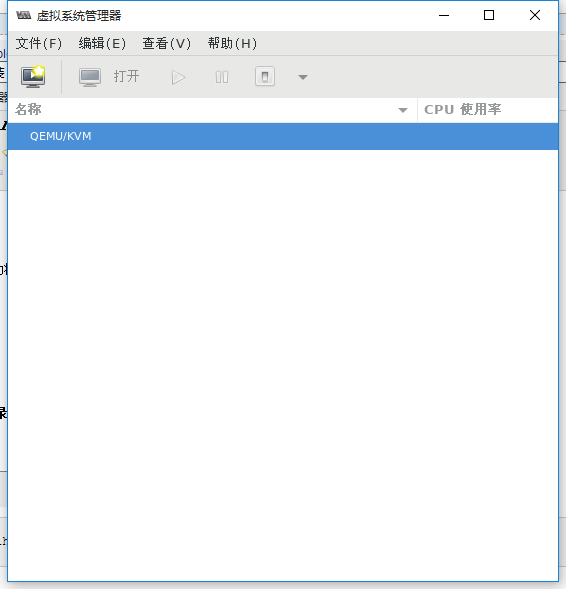
安装virt-manager
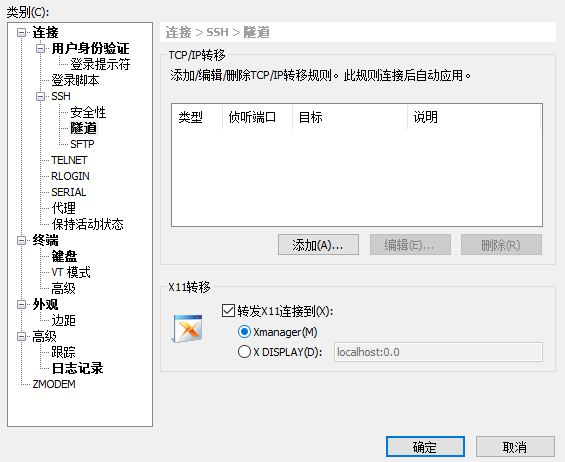
xshell链接
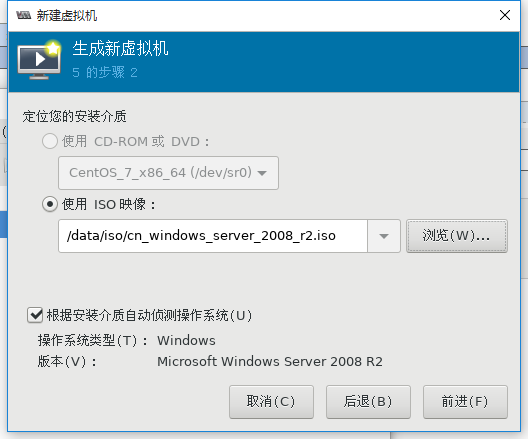
提前将ISO系统镜像存放到服务器的一个目录里,比如/data/iso
1
2
3
4
5
6
[root@localhost ~] [root@localhost ~] [root@localhost iso] 总用量 4217748 -rw-r--r-- 1 root root 950009856 11月 22 15:24 CentOS-7-x86_64-Minimal-1804.iso -rw-r--r-- 1 root root 3368962048 3月 23 2012 cn_windows_server_2008_r2.iso
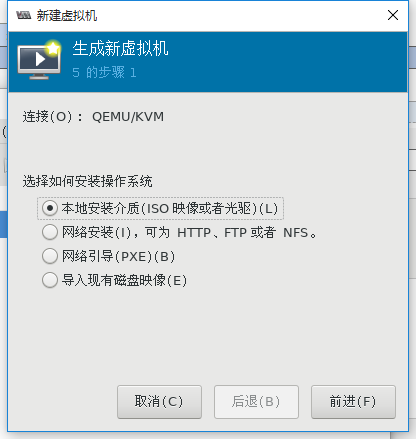
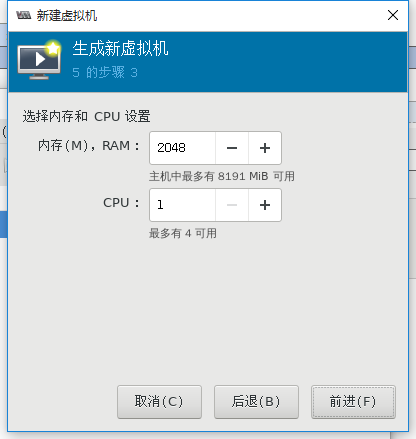
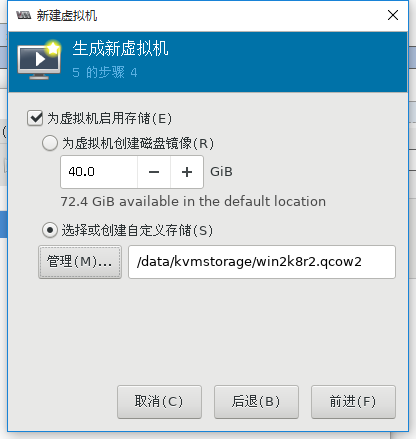
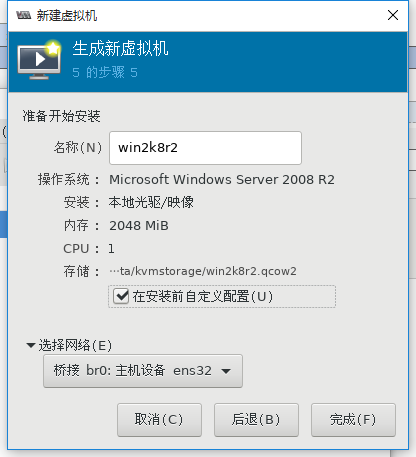
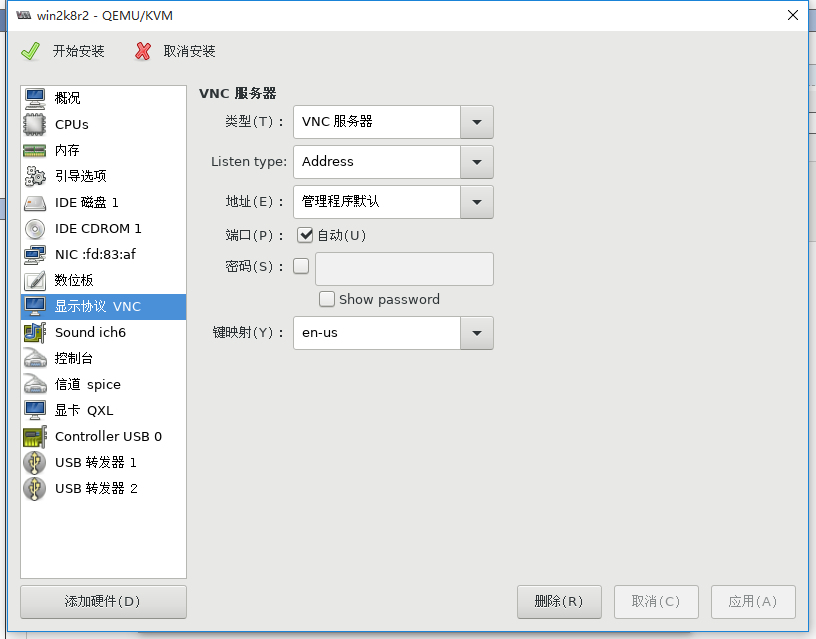
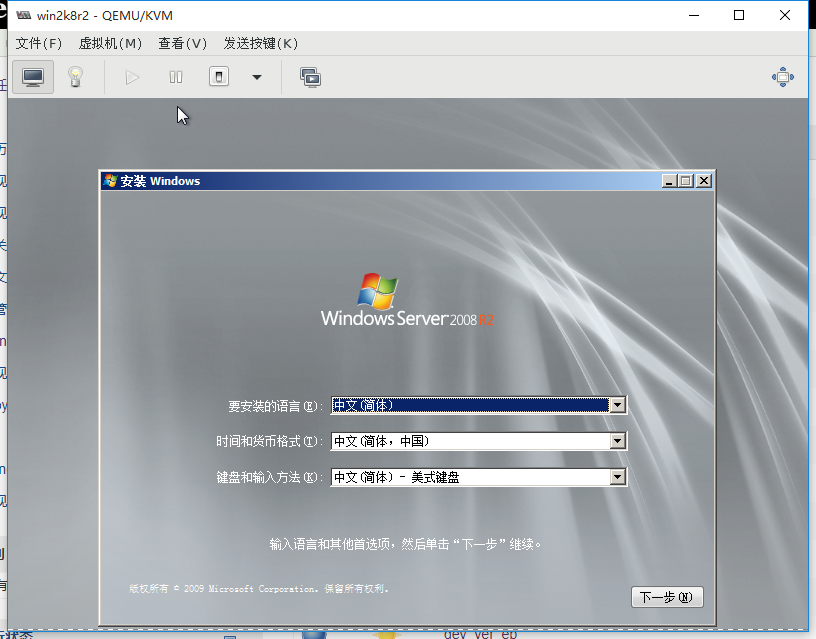
新建虚拟机
kvm常用命令 KVM虚拟机的管理主要是通过virsh命令对虚拟机进行管理
1
2
3
4
5
6
7
8
9
10
11
12
13
14
15
16
17
18
19
20
21
22
23
24
25
26
27
28
29
30
31
32
33
34
35
36
37
38
39
40
41
命令帮助 [root@localhost ~] 查看虚拟机状态 [root@localhost ~] Id 名称 状态 ---------------------------------------------------- 4 win2k8r2 running 关机 [root@localhost ~] 强制关闭电源 [root@localhost ~] 通过配置文件创建虚拟机 [root@localhost ~] 设置虚拟机开机自启 [root@localhost ~] [root@localhost ~] 总用量 0 lrwxrwxrwx 1 root root 30 1月 24 13:06 win2k8r2.xml -> /etc/libvirt/qemu/win2k8r2.xml 到处虚拟机配置文件 [root@localhost ~] 删除虚拟机(该命令只删除配置文件,并不删除磁盘文件) [root@localhost ~] 通过导出备份的配置文件恢复原KVM虚拟机的定义,并重新定义虚拟机。 [root@localhost ~] [root@localhost ~] 编辑配置文件 [root@localhost ~] 挂起 [root@localhost ~] 恢复 [root@localhost ~]
其他命令 创建存储卷
1
2
3
4
5
6
[root@localhost ~] Formatting '/data/kvmstorage/centos7.qcow2' , fmt =qcow2 size=21474836480 encryption=off cluster_size=65536 lazy_refcounts=off [root@localhost ~] 总用量 7437168 -rw-r--r-- 1 root root 197120 1月 24 13:21 centos7.qcow2 -rw------- 1 qemu qemu 42956488704 1月 24 13:21 win2k8r2.qcow2
生成虚拟机
1
2
3
4
5
6
7
8
9
10
11
12
[root@localhost ~] --disk /data/kvmstorage/centos7.qcow2,format=qcow2 \ --network bridge=br0 \ --graphics vnc,listen=0.0.0.0 --noautoconsole \ --os-type=linux --os-variant=rhel7 \ --location=/data/iso/CentOS-7-x86_64-Minimal-1804.iso [root@localhost ~] Id 名称 状态 ---------------------------------------------------- 5 win2k8r2 running 7 centos running